.png)
Adding / Importing Clients - Organisations
Each client type has a dedicated tab and separate import mechanism. Click on the Organisations tab. There are three methods for adding organisations to PracticeFlow using either the single “import” button or the “+ Add Organisation” button:

1. Manual Single Entry
You can add a single organisation by clicking the “+ Add Organisation” button and searching Companies House by company name or company number. Select the correct company from the search results and PracticeFlow will retrieve and populate the company details automatically.
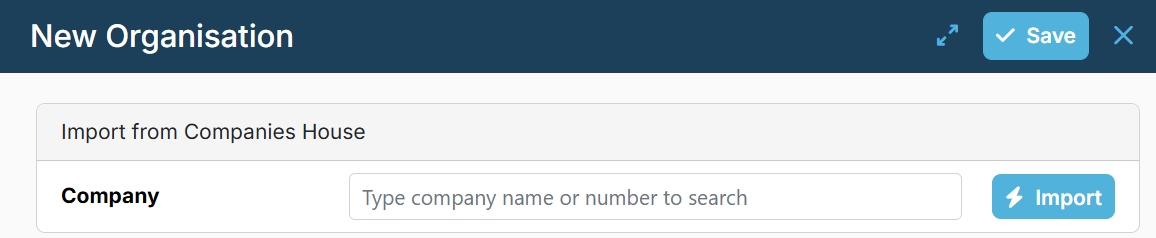
PracticeFlow connects to Companies House, retrieves the company details, and auto-fills fields such as company name, incorporation date, and year end.
When adding or importing an organisation, you can specify its relationship type (Client or Prospect). If not specified, the organisation will be created as a Client by default.
If the organisation cannot be found using the Companies House search, enter the relevant information in section below search:
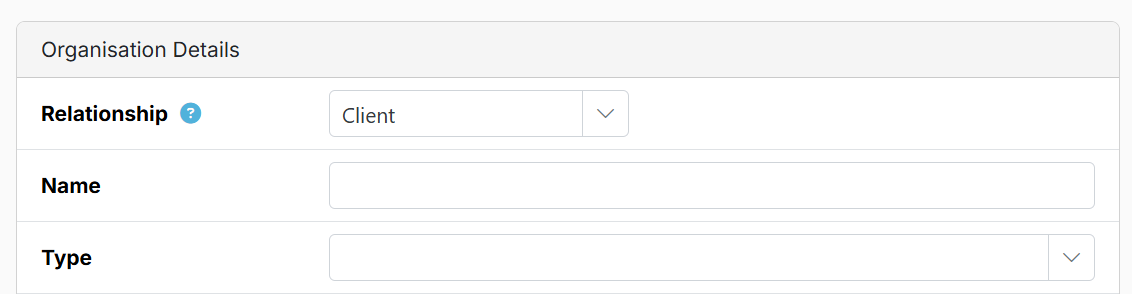
Select the appropriate Organisation Type. See Organisation Types for details of the available types and guidance on which to use.
For bulk import options, click the upload button (small up arrow icon).

2. Text Box Entry (Bulk Company Number Entry)
You can paste (or enter manually) a list of company numbers into a large text box for batch processing.
PracticeFlow will look up each company and import data from Companies House.

3. Import Template (CSV)
The organisations-import-template.csv can be accessed here, downloaded and then re-uploaded once it has been populated with client information. The file to be uploaded must remain in the .csv format and the first line with header names must also be retained.

For clients with a company number, Companies House data (such as year-end and confirmation statement dates) will be auto updated. The import template includes a Relationship Type column, allowing organisations to be imported as clients or prospects.
If there is a problem with an import you can use the Undo Import button.
Be sure to complete key service-related fields such as VAT quarters and date of VAT registration to create a VAT task, or payroll frequency and start date to create a payroll task. Adding more information to the import template helps reduce manual setup later.
See minimum required information in Triggering Smart Tasks. Conversely, omitting certain fields, for example, the engagement letter date will generate an engagement letter task.