.png)
Email Setup and Usage
PracticeFlow includes built-in email functionality for communicating with clients directly from the system.
Emails can be sent in one of two ways:
- Send using PracticeFlow’s standard email service.
- Send using your firm’s own verified domain.
- Send using PracticeFlow’s standard email service
This is the simplest way to send emails from PracticeFlow and does not require any domain verification.
Go to Settings > Account Settings and scroll down to Email Settings.
Enter:
- From Name – the name you want clients to see, normally your firm name.
- From Email – a valid email address for your firm.
You can also set your email signature and choose whether to BCC Self.
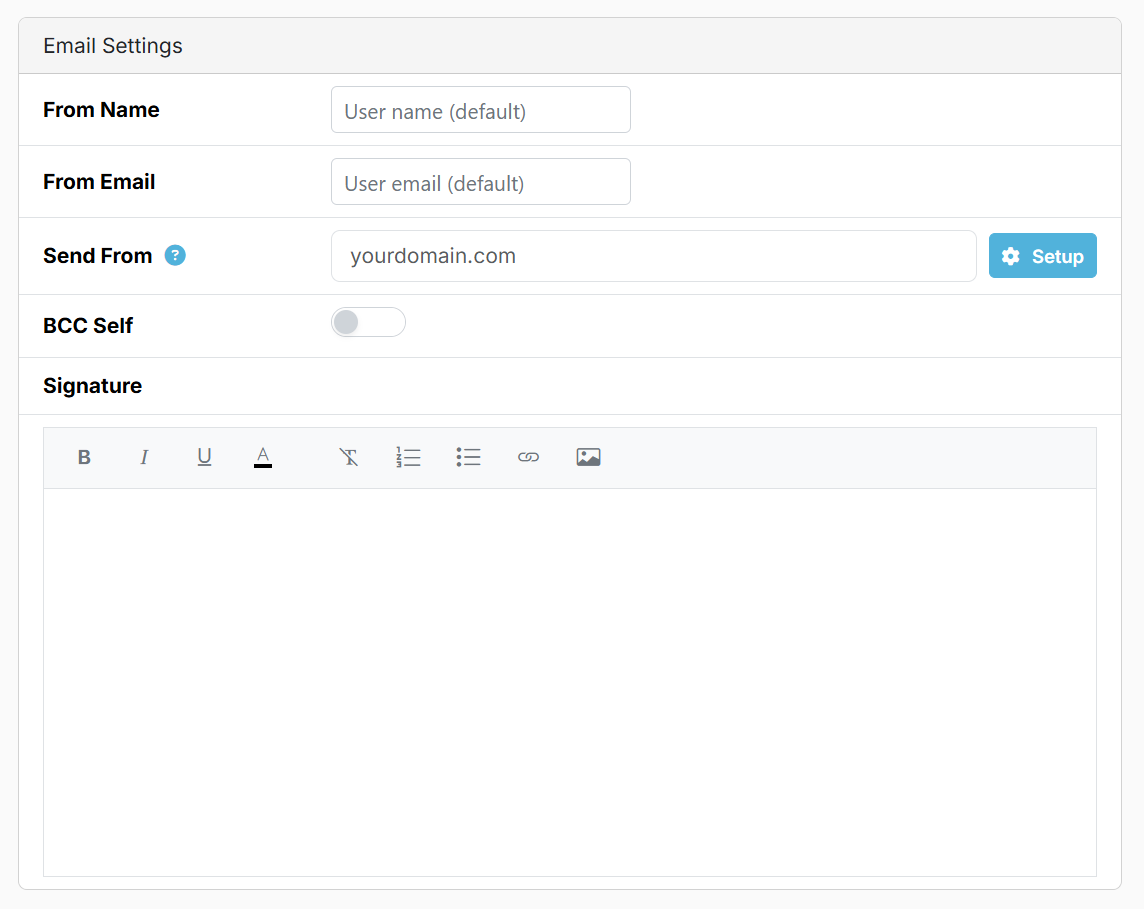
PracticeFlow sends the email using its standard email service. The name and email address you enter are used to identify your firm to the recipient.
- Send using your firm’s own verified domain
You can instead send using an email address on your firm’s own domain.
This gives clients a clearer, more professional sender identity using your firm’s own email address. It can also improve email authentication and reduce the risk of messages being treated as suspicious or spam.
This option requires a one-off domain verification process, explained in Sending emails from your own domain.
Email Templates
With either method you can use email templates to save time by pulling client specific data from the relevant client record.
They can be created and managed in Settings > Email Templates.
They combine standard wording with PracticeFlow fields so that messages can be personalised automatically for each organisation or individual. Templates are primarily used from tasks, keeping communication linked to the relevant work and client record.