.png)
Adding / Importing Clients - Individuals
Click on the Individuals tab. There are two methods for adding individuals to PracticeFlow:

a) Manual Single Entry
You can add a single individual by clicking the “+ Add Individual” button and entering details below:
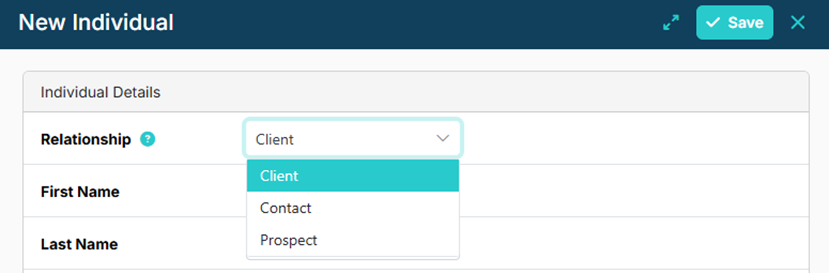
When adding an individual, you can specify the relationship type (Client, Prospect, or Contact). If not specified, the individual will be created as a client by default.
b) Import Template (Bulk Upload)
For bulk imports, click the upload button (small up arrow icon).
The individuals-import-template.csv can be accessed here, downloaded and then re-uploaded to create multiple individual records at once.
The import template includes a Relationship Type column, allowing individuals to be imported as clients, prospects, or contacts as required. It also includes a field for linking individuals to organisations using the Companies House company number. If no company number is available, the link must be created later in the app by selecting the organisation by name.