.png)
How do I subscribe to Practice Flow?
Once you have activated your free trial, you can subscribe at any time, no card details are required. When you’re ready to move to a paid plan, either click the “Trial ends in X days” banner at the top of the screen or click the cog icon to go to Settings and then click Subscribe from the drop-down menu.

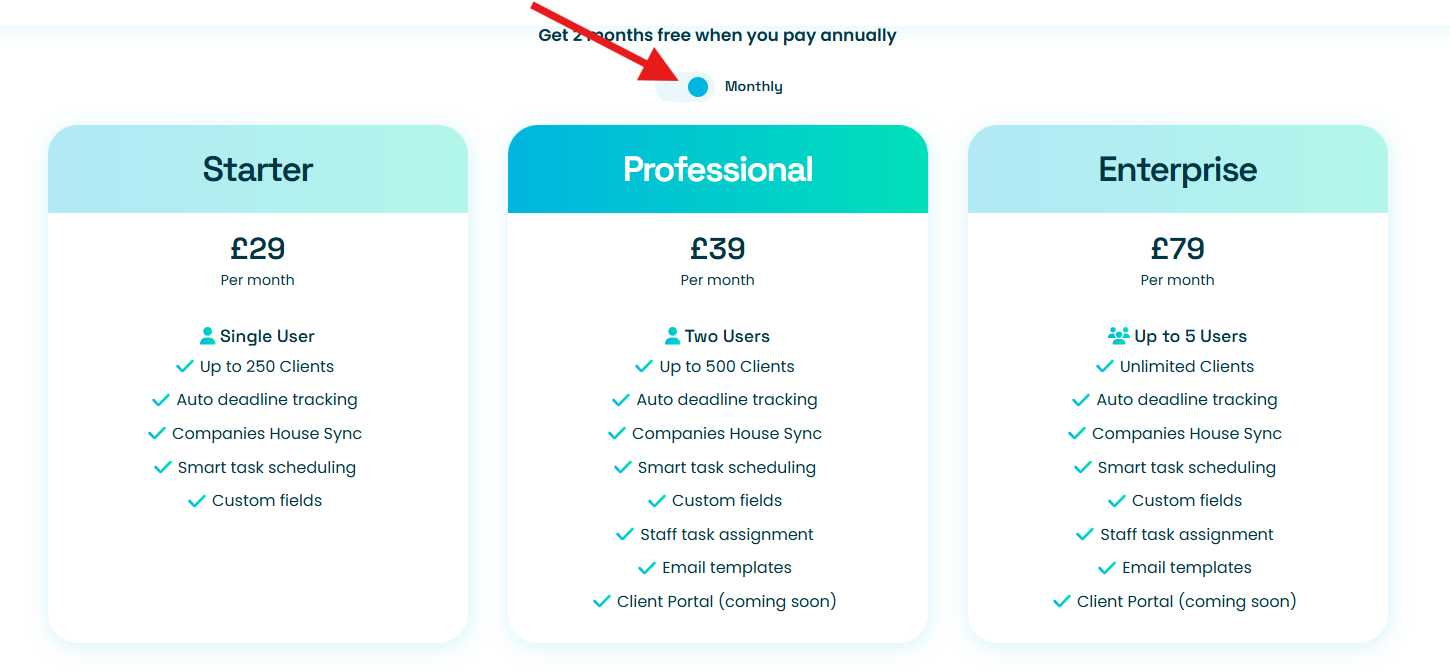
Either of these options will open the billing area where you can select one of the available plans:
- Starter – single user, up to 250 clients
- Professional – two users, up to 500 clients
- Enterprise – up to 5 users, unlimited clients
Additional users can be added to the Enterprise plan for an additional monthly cost.
You can choose to pay monthly or annually.
Annual payments are discounted (see website for current rates).
Payment receipts and invoices are handled via Stripe directly.
You will be redirected to the Stripe payment portal.
Enter your card details, company information, and billing preferences.
This process activates your paid account and removes any trial-related banners in the app.
Only Owners have access to Stripe billing via the App after logging in.
Admin and Staff users cannot view or modify billing settings.