
Creating One-Off Tasks
One-off tasks are used for individual pieces of work that do not need to be generated automatically through a recurring task schedule or Smart Task.
Creating a one-off task
How you start depends on your user role.
Staff users
Staff users will see the + Add Task button at the top of the Tasks screen.
Click + Add Task to create a new one-off task.

Owner and Admin users
Owner and Admin users can switch between the Current, Recurring and Smart views.
To create a one-off task:
- Make sure Current is selected.
- Click + Add Task.
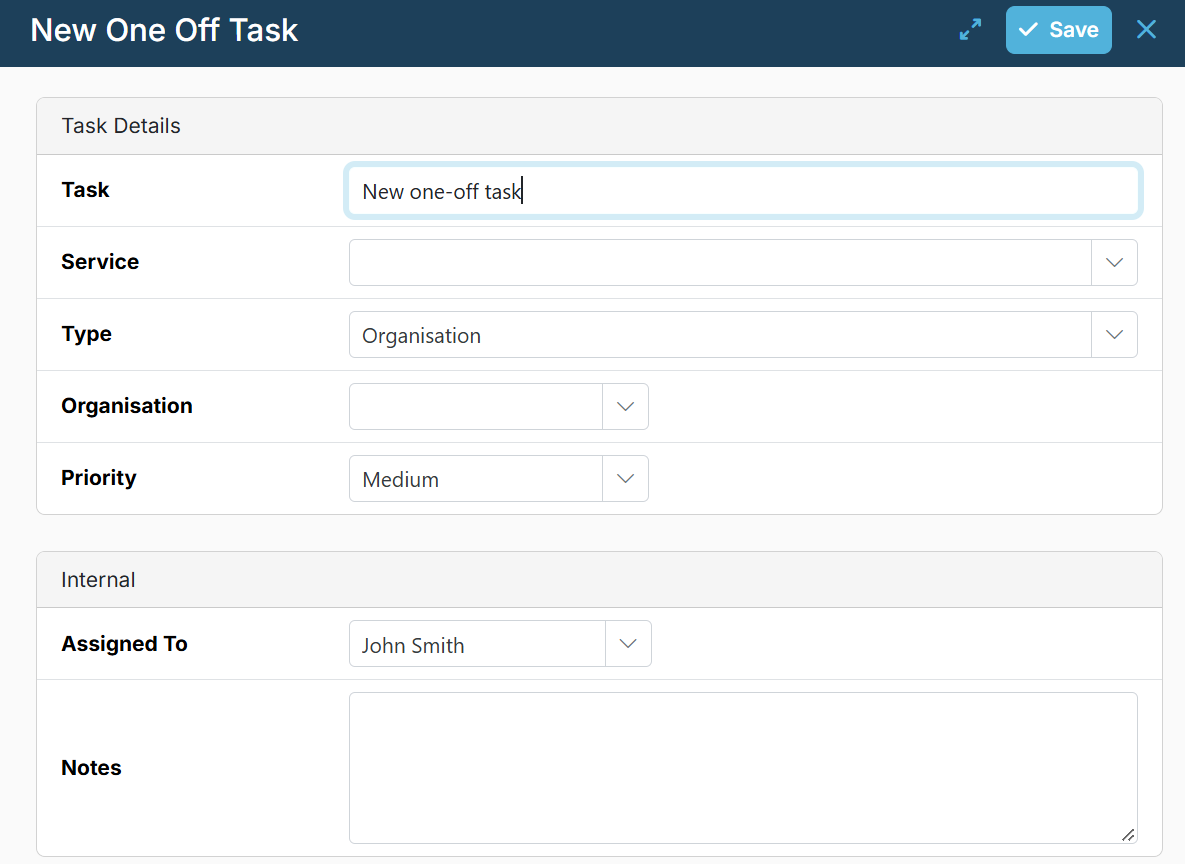
As a minimum, complete the task name, select Organisation or Individual and then a client name and click Save. The task will then appear in the current task list.
Optionally you can also select the Service, Priority and add any relevant Notes.
You can also complete the planning section and add a checklist if required.